CommunityRx
“We want to know that connecting people to community resources during a medical visit ultimately improves health.”

CommunityRx is an evidence and theory-based, low-intensity, highly scalable intervention designed with community input to connect people with personalized community-based resources to support social, wellness, disease self-management, caregiving, and end of life needs. The essential components of this intervention are informed by the Grey et al Self- and Family Management Framework. The framework has been adapted to include factors identified by Fundamental Cause Theory such as socioeconomic status, discrimination and other known facilitators of and barriers to self- and family management. CRx interventions support recipients to confidently engage with health promoting community based resources.
CRx interventions are comprised of three essential components:
- brief education about health-related social risks and related resources.
- activation of resources through delivery of and coaching on use of a personalized list of community resources (a HealtheRx).
- boosting through a series of proactive text messages and ongoing navigator support (informed by the Critical Time Intervention Model).
Current Clinical Trials
CommunityRx – Chronic Kidney Disease (CRx-CKD) An EMR-integrated Community Resource Referral Intervention to Address Structural Racism and Kidney Health Disparity in Rural North Carolina
Funding Period: September 2023 – June 2028
Principal Investigators: Gaurav J Dave, MBBS, DrPH, MPH; Abhijit Kshirsaqar, MD, MPH; Stacy Tessler Lindau, MD, MAPP
Public Health Relevance
Structural racism drives inequitable health outcomes in chronic kidney disease (CKD) especially for African Americans in rural settings. We propose to implement Community Rx-Chronic Kidney Disease (CRx-CKD), an infrastructural intervention that integrates medical with social care to reduce the public health burden of CKD by mitigating disparities in care for African American patients. To that end, a partnership of local stakeholders with researchers will build community-to-clinic linkages and test the implementation and effectiveness of CommunityRx in attenuating kidney disease progression.
Aims
- Contextualize implementation and effectiveness of a rural infrastructural integrated care intervention by (a) building an inclusive model with system science to describe how structural racism affects CKD progress on and its mitigation through integrated care; and (b) conducting a network analysis to evaluate structures of clinic-community connectivity.
- Optimize CRx-CKD implementation through the Consolidated Framework of Implementation Research to ensure organizational readiness, fidelity, and acceptability.
- Test the effectiveness of the CRx-CKD intervention with a pragmatic cluster randomized controlled trial at the clinic level. Three hundred seventy-five African American individuals with CKD multimorbidity at the intervention clinics will be compared to 375 individuals at usual care clinics for the primary outcome of reduction of the glomerular filtration slope decline and reduction of albuminuria; other, secondary outcomes include control of blood pressure, control of blood sugar, weight reduction, and blood lipid management.

Links
Community Intervention to Reduce Cardiovascular Disease in Chicago (CIRCL)
Funding Period: September 2020 – August 2027
Principal Investigators: Abel Kho, MD; Paris Davis, PhD, MBA; Justin Smith PhD
University of Chicago Site PI: Stacy Tessler Lindau MD, MAPP
Public Health Relevance
In Chicago, health status indicators show worsening disparities between black and white residents, with the highest rates of hypertension, heart disease, and stroke clustering in the predominantly black South and West Sides. CIRCL-Chicago will focus on the strategies used to support adoption, implementation with fidelity, and sustainability of the Kaiser bundle within a Chicago community with a high burden of hypertension. The Kaiser bundle demonstrated that a bundle of evidence-based interventions implemented within a large, integrated health system significantly increased blood pressure control.
Aims
1. Convene community stakeholders in order to adapt implementation strategies using the Dynamic Adaptation Process model.
2. Design, implement, and evaluate pilot projects in order to optimize implementation strategies within our community.
3. Implement, test and evaluate an adapted implementation strategy to control hypertension through faith-based organizations in the South Side of Chicago. Our overall implementation is a hybrid Type 2 effectiveness–implementation design based within one primary community area (South Side Chicago) and in two settings (church and clinic). The overall study outcome is the Public Health Impact metric (reach * effect size of the intervention).
4. Disseminate findings internally to community stakeholders and externally through creation of community implementation toolkits.

Links
CommunityRx Dementia
Funding Period: July 2019 – February 2024
Principal Investigators: Stacy Tessler Lindau, MD, MAPP and Elbert S. Huang, MD
Public Health Relevance
The National Alzheimer’s Project Act calls for community resource linkages as a key strategy to support more than 16 million caregivers of the growing U.S. population of persons with dementia (PWD) living at home. Our objective is to evaluate the health impact and mechanisms of a low-intensity, scalable information technology- based intervention to systematically match caregivers at the point of their own primary care to nearby community resources for health-related social, caregiving and any other self-care needs. The long-term goal of this mixed methods research is to inform science, policy and practice in this emerging field and to advance NIH’s mission by generating new knowledge about resource connections that promote ADRD caregiving outcomes and supports.
Aims
1. Among caregivers with unmet HRSNs, evaluate the effects of CRx-D versus usual care on caregiver self-efficacy and secondary psychosocial and behavioral outcomes, as well as health and healthcare utilization
2. Evaluate acceptability of the intervention and the effects of CRx-D versus usual care on the health care experience, including satisfaction with care, experiences of stigma during clinical care and likelihood of sharing community resource information with others
3. Qualitatively assess caregivers’: experiences with the CRx-D intervention; the role of stigma in disclosing needs and accessing resources; and experiences sharing resource information with others

Missing Pieces Trial: Supporting Parents After Their Child’s Unexpected or Traumatic Death
Funding Period: March 2023 – February 2028
Principal Investigators: Kelly Michelson, MD, MPH and Stacy Tessler Lindau MD, MAPP
Public Health Relevance
Of approximately 60,000 annual deaths of people < 25 years old, ~45% occur unexpectedly or traumatically (e.g., from homicide, suicide, or unintentional injury) and become a medical examiner or coroner (hereafter ‘ME’) case. Parents and caregivers (hereafter ‘parents’) of these children suffer debilitating mental health issues like complicated grief and depression, physical problems and family dysfunction, and struggle to find support. Often, the ME is parents’ sole point of contact with the healthcare system. Yet MEs have limited education, guidance, and tools to support bereaved parents. Scalable systems-level interventions are needed, at the point of ME care, to connect bereaved parents to critical supports.
Aims
- Support bereaved parents of children under 25 years old in accessing resources within their community to help navigate the psychosocial and physical affects of grief.
- Help ME/coroners’ offices support bereaved families by testing strategies that could be easily and sustainably implemented within their offices.
- Help community organizations and providers connect bereaved parents to the resources they provide.

Links
My Diabetes, My Community
Funding Period: September 2020 – July 2024
Principal Investigators: Elbert S. Huang, MD and Stacy Tessler Lindau MD, MAPP
Public Health Relevance
Older African Americans with diabetes are a highly vulnerable population that suffers the highest rates of cardiovascular and microvascular complications as well as adverse drug events such as hypoglycemia. We will conduct a 12-month pragmatic clinical trial evaluating the impact of scalable interventions that are designed to support personalized goal setting and self-care through remote delivery of clinical and socioeconomic risk assessment, telephonic care management, and community resource linkage. This highly personalized approach to diabetes care has to potential to improve quality of life of this high-risk population while avoiding adverse drug events.
Aims
1. To evaluate the impact of My Diabetes GOAL Arms versus Usual Care on processes of personalized diabetes care (e.g., decisional conflict regarding goals of diabetes care)
2. To evaluate the relative impact of the three study arms on self-efficacy, self-care and utilization of community-based resources
3. To evaluate the relative effect of the three study arms on clinical outcomes (e.g., glycemic control, hypoglycemia, geriatric conditions, functional status) and health care utilization (ED visits and unplanned hospitalizations)

Links
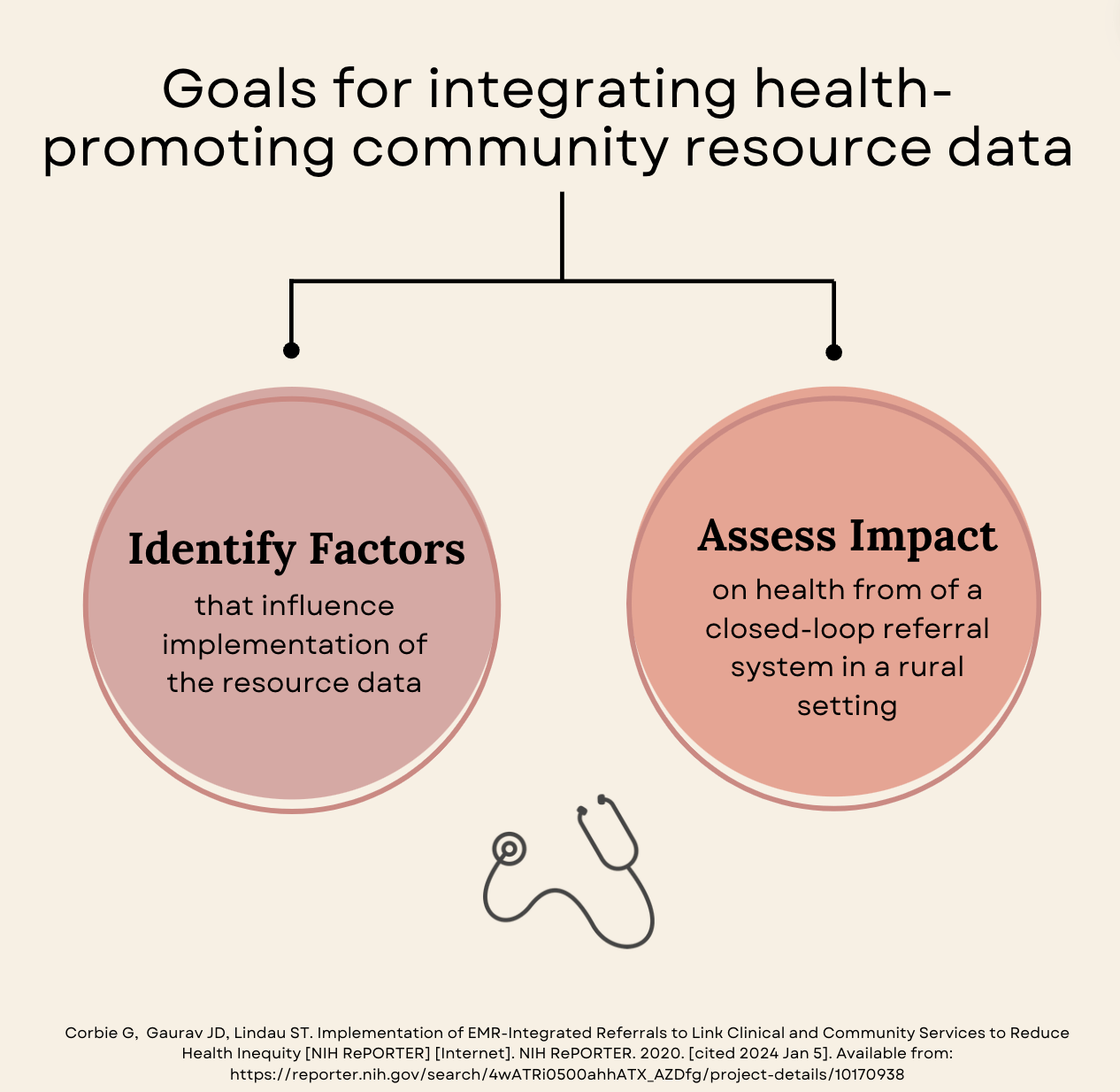
Implementation of EMR-Integrated Referrals to Link Clinical and Community Services to Reduce Health Inequity
Funding Period: January 2020 – December 2024
Principal Investigators: Giselle Corbie, MD, MSc; Gaurav J Dave, MBBS, DrPH, MPH; Stacy Tessler Lindau, MD, MAPP
Public Health Relevance
Heart disease prematurely ends African American lives in the rural southeast. New ways to prevent heart disease are needed that help people access resources to live a healthy life using a “whole person” approach to CVD and social needs, especially in high-need communities.
Aims
- We hypothesize that integration of closed-loop referrals will increase patient knowledge of community resources, enhance self-efficacy to manage CVD risk factors, increase utilization of community resources and improve markers of cardiometabolic conditions. To our knowledge, this trial will be the first to evaluate the implementation and health impact of a low intensity, scalable, clinic-initiated intervention targeting AA adults and children at risk of CVD. Furthermore, we will conduct cost-effectiveness analysis related to implementation of CRx-CVD to inform scaling the intervention. The long-term goal is to identify scalable interventions to reduce CVD risk and health-related social needs of African Americans using a “whole person” approach to health.
Links
CommunityRx for Hunger
Funding Period: March 2019 – November 2023
Principal Investigator: Stacy Tessler Lindau MD, MAPP
Public Health Relevance
Food insecurity is a prevalent and modifiable, but largely overlooked, determinant of health and health disparities. Our objective is to improve self- and family management among food insecure caregivers of ill children by intervening at the critical time of the child’s hospital discharge. The long-term goal of this mixed-methods work advances the public health mission of NIH by promoting the health of caregivers and their families and reducing health disparities due to socioeconomic disadvantage.
Aims
1. Evaluate the effects of CRx-H versus UC on food insecure caregiver self-efficacy, caregiver and child food insecurity, and adult and child health outcomes
2. Among food secure and insecure caregivers, evaluate the effects of CRx-H versus UC on caregiver satisfaction with care and stigma
3. Qualitatively assess food insecure caregivers’ perspectives about: (a) their experiences with and attitudes toward the CRx-H intervention, (b) the role of stigma as a barrier to self- and family management, and (c) how healthcare providers can sensitively and effectively intervene to support food insecure caregivers

Project News